
If you are traveling to Japan, one of the first things I recommend setting up is Suica on your iPhone.
Suica is a prepaid IC card that you can use for trains, buses, convenience stores, vending machines, coin lockers, and many other places throughout Japan.
And the best part?
If you have a compatible iPhone, you don't even need to carry a physical Suica card.
Your iPhone can become your Suica.
What Is Suica?
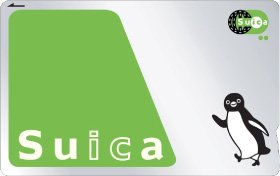
Suica started as a transportation IC card from JR East.
Instead of buying a train ticket every time you ride, you simply load money onto your Suica and tap it at the ticket gate.
Tap when you enter.
Tap when you exit.
The correct fare is automatically deducted from your balance.
But Suica has become much more than a train card.
Look for the IC card symbol and you'll find that you can use it in many places around Japan, including:
Trains and buses
Convenience stores
Vending machines
Coin lockers
Many shops and restaurants
For a traveler, it is one of those little things that makes Japan much easier.
Which Suica Should You Get?
There are two main ways to use Suica when traveling in Japan: digital Suica on your phone or a physical Suica card.
If you have a compatible iPhone, I recommend going digital. It’s one less card to carry, you can check your balance on your phone, and you can set it up before you even arrive in Japan.
Option 1: Digital Suica on Your iPhone — My Recommendation
There are a couple of ways to set up a digital Suica on your iPhone.
The Easiest Way: Add Suica Directly to Apple Wallet
You don’t need to already own a physical Suica card, and you don’t need to download the Suica app first.
Open:
Apple Wallet → + → Transit Card → Suica
Then follow the instructions to create a new Suica, choose how much you'd like to add, and complete the setup using an eligible payment card in your Apple Wallet.
Once it’s set up, your iPhone becomes your Suica. You can use it for trains and subways, as well as many stores, vending machines, and other places that accept Suica.
Best of all, you can get this ready before your trip.
No need to land in Japan and immediately figure out where to buy a transit card!
Another Option: Use the Suica App
This is actually the method I used.
I downloaded the Suica app, created my digital Suica, and set it up on my iPhone.
The app itself is in Japanese, which can look a little intimidating if you don’t read Japanese—but don’t worry. For everyday travel, there are only a few things you really need to know.
Understanding the Suica App Screen
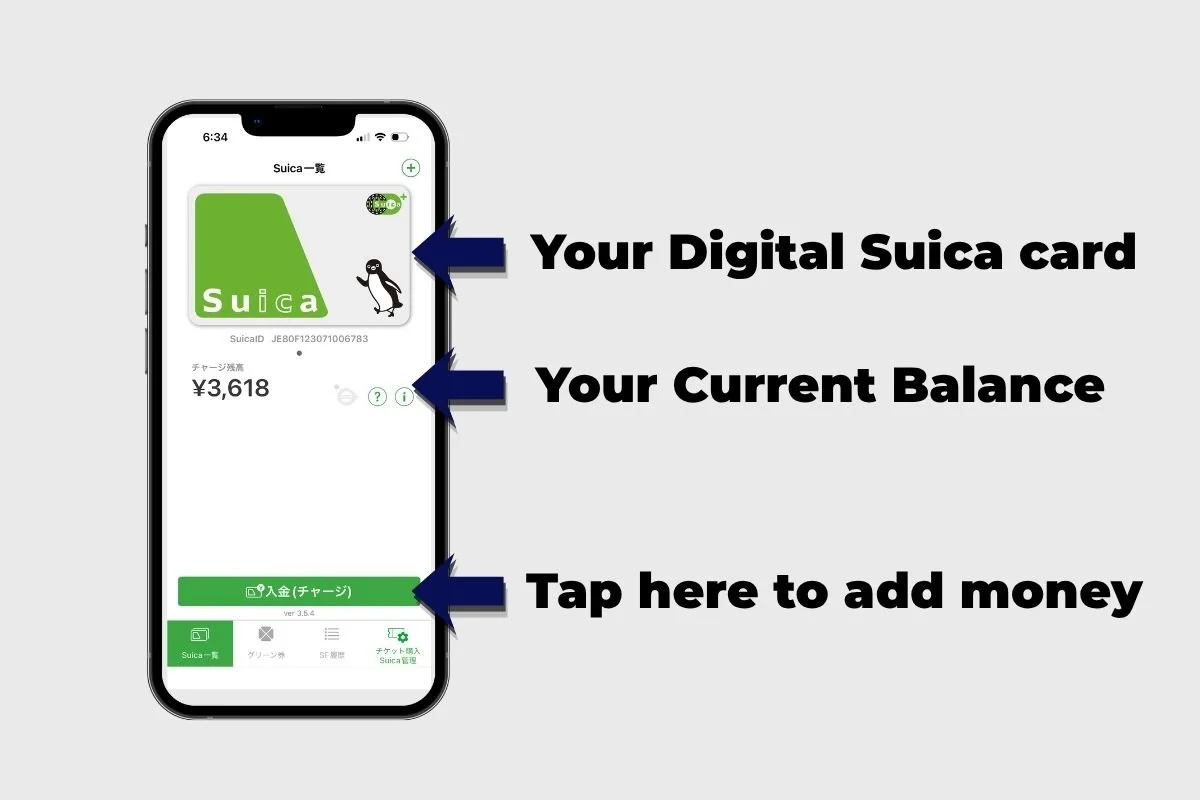
Balance — チャージ残高
This shows how much money is currently available on your Suica. In my screenshot, for example, the balance is ¥3,618.
Add Money — 入金(チャージ)
Tap the green button when you want to add money to your Suica.
Suica List — Suica一覧
This shows the Suica cards registered in the app.
Moto Tip: Don’t worry if you can’t read Japanese. For everyday use, the two most important things to know are your balance and where to charge your Suica.
What About Welcome Suica Mobile?
JR East also offers Welcome Suica Mobile, which is specifically designed for international visitors.
This is another digital option worth knowing about, especially if you’re visiting Japan for a short trip.
Option 2: Get a Physical Suica Card
If you prefer having a real card in your wallet, physical Suica is still an option.
You may come across Welcome Suica, which is designed for international visitors and is valid for a limited period, as well as the regular rechargeable Suica used in Japan.
Physical Suica works perfectly well—you’ll just need to get the card and carry it with you during your trip.
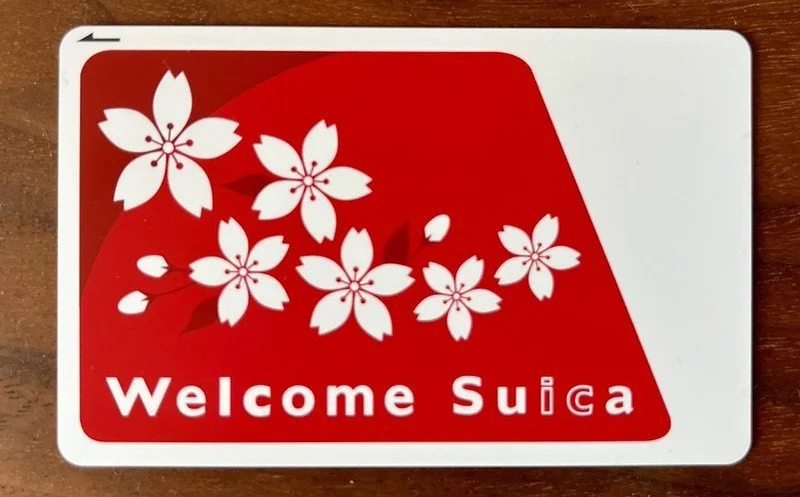
Welcome Suica Card
So, Which One Would I Choose?
If you have a compatible iPhone, digital is the way to go, in my opinion!
No extra card to carry. No digging through your wallet at the ticket gate. You can check your balance right on your phone and add money when you need it.
And most importantly, you can have it ready before you arrive in Japan.
Moto Tip: Set up your Suica before your trip. It’s one less thing to figure out after a long flight!
Why Digital Suica Is So Convenient
Then explain the ability to recharge from the phone underneath. That keeps the story focused on the benefit, rather than introducing another Apple term.
And I really like your ending:
Tap. Beep. Welcome to Japan. 🇯🇵
Keep that. That's very Motokyo.
Using Suica at the Train Gate
This is the easy part.
I usually double-click the Side Button on my iPhone to bring up my Suica, then hold the top of my iPhone near the IC reader at the ticket gate.
Double-click. Tap. Beep. Go.
If you have Express Mode enabled for Suica, you can make it even easier—you normally don't need to open Wallet, unlock your iPhone, or use Face ID. Just hold your iPhone near the reader.
When you arrive at your destination, tap again as you exit.
That's it.
Suica Isn't Just for Trains
This is something first-time visitors sometimes don't realize.
Suica isn't just for getting on and off trains.
You can use Suica at convenience stores, vending machines, coin lockers, many shops and restaurants—and even many taxis.
Taxis are especially convenient. If the taxi accepts transportation IC cards, you can simply tap your iPhone to pay instead of pulling out cash or dealing with change.
Just look for the Suica or transportation IC card symbol before you pay.
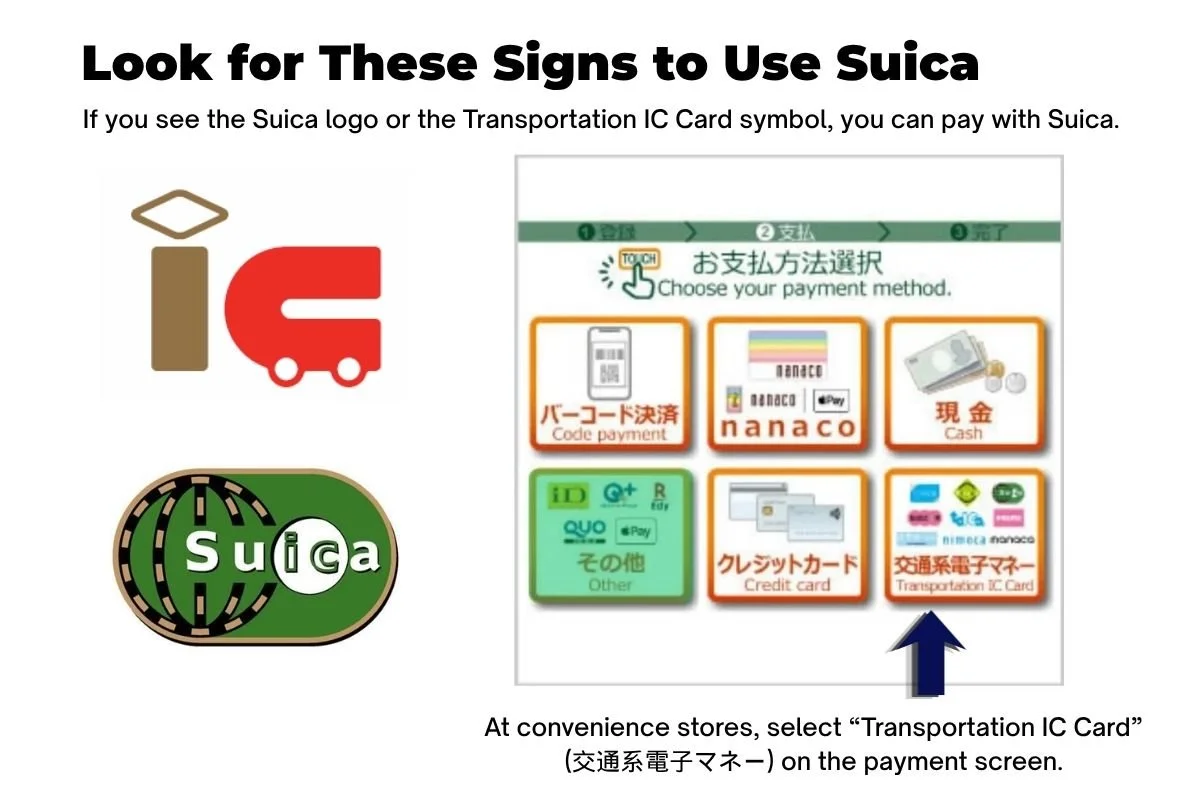
Buy a drink from a vending machine? Tap your iPhone.
Grab something at a convenience store? Tap your iPhone.
Pay at a shop that accepts Suica? Tap your iPhone.
Once you start looking for the IC symbol, you'll see it all over Japan.
That means less time digging through your wallet for cash—and fewer Japanese coins piling up in your pocket.
For me, that's what makes Suica so useful. It's not just a train card. It's one of the easiest ways to pay for everyday things while traveling in Japan.
🇯🇵 Moto's Tip
Set up your Suica before your trip and put some money on it before you arrive.
When you land in Japan, you already have enough things to think about—immigration, luggage, finding the train, figuring out where you're going.
You don't need your first Japan experience to be standing in front of a ticket machine trying to figure out which ticket to buy.
Have Suica ready on your iPhone.
Then when you reach the train station:
Tap. Beep. Welcome to Japan. 🇯🇵
One less thing to worry about.
And that's what a good travel tool should do.
Know the language. Know the culture. Enjoy Japan more.